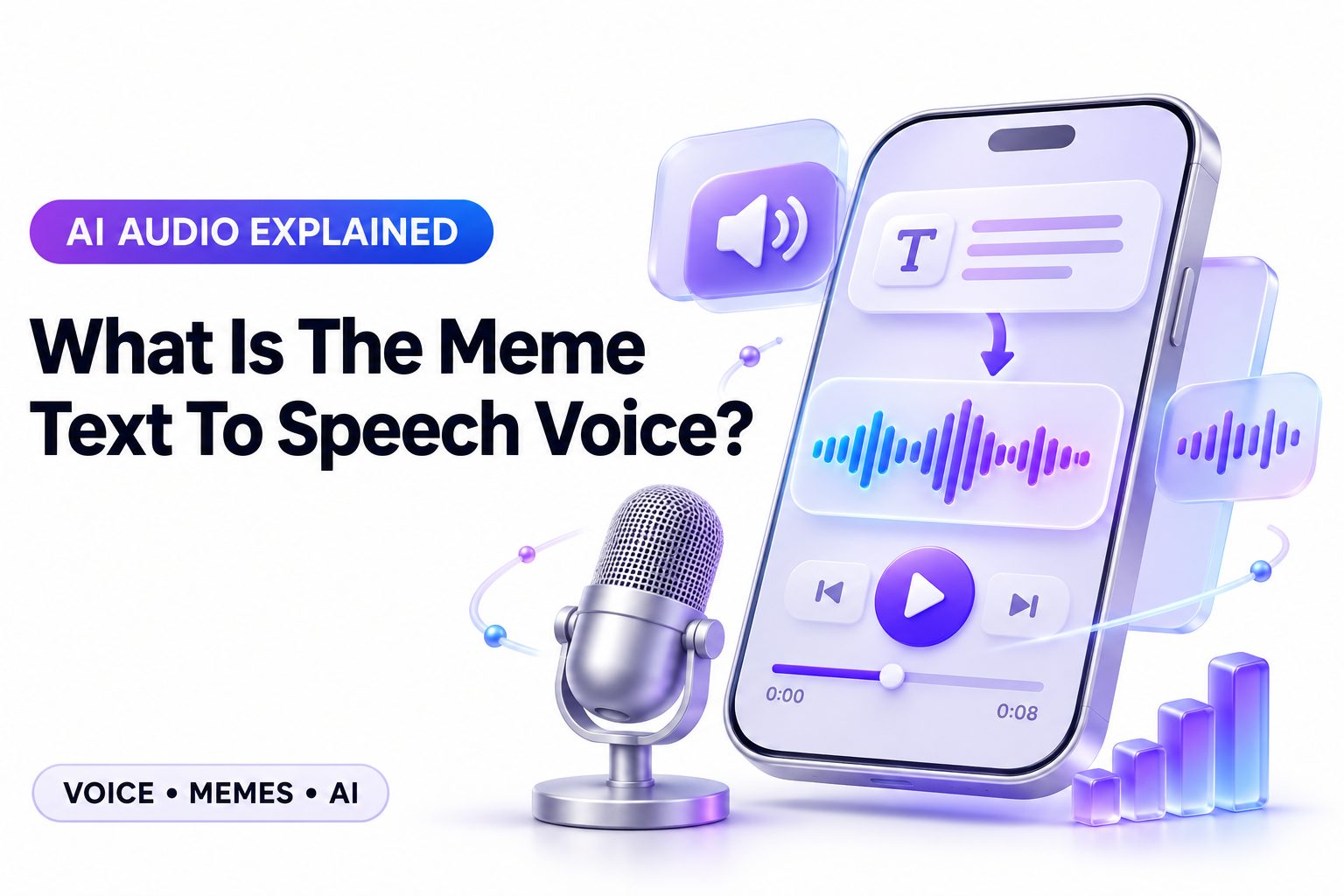
The meme text-to-speech voice is not one single official voice. It usually refers to the exaggerated, robotic, or deadpan narration used in short-form memes on TikTok, YouTube Shorts, Instagram Reels, and gaming clips. Depending on the video, it may be a built-in TikTok voice, a text-to-speech option from CapCut, a voice generator such as ElevenLabs, or an older computer-style voice associated with classic meme videos.
That distinction matters because people often hear a familiar narration style and assume there is one exact setting they need to find. In reality, the “meme voice” is usually a combination of the selected voice, short punchy writing, careful timing, captions, and an unexpected ending. This article explains the most common voices people mean, where creators find them, how to recreate the sound responsibly, and why some voice effects work better than others. You will also learn how to choose a voice that fits your format instead of copying a trend that does not suit the joke.
What People Mean by a Meme Text-to-Speech Voice
When people ask for a meme text-to-speech voice, they usually mean a synthetic narrator that delivers lines with little natural emotion. The contrast between a serious, machine-like delivery and an absurd visual is what makes the format funny. A flat voice can make an ordinary sentence sound intentionally dramatic or strangely ominous.
The phrase can also describe a particular viral voice heard repeatedly on a platform. TikTok has popularized several built-in narrator voices, while older memes often used computer voices from apps, games, navigation systems, or free online text-to-speech sites. The name people use may change, but the comedic purpose is often the same.
The common traits behind the sound
Most successful meme narrators are clear, slightly artificial, and easy to recognize within the first second. They tend to read every word with similar emphasis, which leaves room for the visual, subtitle timing, and punchline to create the emotion.
Creators also favor voices that remain understandable when played through phone speakers. A voice may sound amusing with headphones but lose clarity over background music. The best choice is usually not the most unusual option; it is the one viewers can follow immediately.
The Most Common Types of Meme Narration
TikTok-style narration is one of the most recognizable categories. These voices are built into the app or commonly available in editing tools, and they range from upbeat to deadpan. Their popularity comes from familiarity: viewers instantly recognize the format before they have processed the joke.
Classic robotic voices are another category. These are often associated with earlier YouTube videos, gaming montages, Reddit-story clips, and image macros. They may sound less polished than modern AI voices, but that roughness can make them feel more deliberately comedic.
Deadpan AI voices
A deadpan AI voice sounds relatively natural but gives restrained emotional delivery. It is useful for stories, fake warnings, awkward observations, and clips where the joke gets funnier because the narrator sounds completely unbothered.
This style is common in modern short-form content because it does not distract from the message. It also gives creators more control over pronunciation and pacing than older robotic generators, although many premium options require an account or paid plan.
Cartoonish and character-style voices
Some meme creators choose a high-pitched, gravelly, overly cheerful, or exaggerated character voice. These work well when the clip has a clear fictional perspective, such as a pet “speaking,” a game character reacting, or an intentionally chaotic skit.
Character-like narration can become tiring if used for long explanations. It is strongest in short clips with a quick payoff. Use it when the voice itself adds to the joke, not merely because it is currently popular.
Useful signs that a voice fits a meme format include:
- It is understandable at normal phone volume.
- Its personality matches the joke’s tone.
- It does not overpower the original video audio.
- It has a short, memorable rhythm.
- It remains funny after more than one replay.
- It does not imitate a real person without permission.
Where Meme Voices Usually Come From
The simplest source is the text-to-speech feature built into the platform where you plan to post. TikTok, for example, lets creators add narration directly to text placed on a video. This is convenient when your content depends on a familiar platform-native sound and needs quick editing.
Video editors are another popular option. CapCut, Canva, Descript, VEED, and similar tools offer speech generators with different voice libraries. These can be more flexible because you can adjust clips, captions, background music, and narration in the same timeline.
Third-party AI voice tools offer the broadest selection. They can create more natural voices, let you control speed or stability, and make it easier to produce longer scripts. Before using one commercially, check its current license terms and the rules around monetized social content.
Platform text-to-speech tools
Native text-to-speech tools are usually best for fast, platform-specific posts. They reduce the need to export audio from another service and may help a video feel immediately familiar to viewers who spend time on that app.
Their main limitation is availability. Voice names, regional options, and settings can change, and a particular sound may not appear for every user. Do not build an entire content strategy around one voice that could be renamed or removed.
Editing apps with voice libraries
Editors with built-in voice libraries make it easier to reuse a consistent narrator across TikTok, Reels, Shorts, and other channels. That consistency can help viewers recognize your videos, especially if you make recurring formats or themed series.
Look for controls that genuinely improve your workflow: speed, pauses, pronunciation editing, audio export, and commercial-use terms. [Internal Link: Best Text to Speech Tools] can help when you need to compare options beyond the voice list in your current editing app.
A Practical Method for Recreating the Meme Style
Start with the script, not the voice. A meme narration script should sound like something a person might say, but it should be shorter and more precise. Remove scene-setting that viewers can already see, then keep the wording that creates surprise, contrast, or escalating absurdity.
Next, choose a voice based on the emotional gap you want. A dry robotic narrator works for an overblown statement, while an overly cheerful voice can make a minor inconvenience sound ridiculous. Test one or two lines before producing a full video.
1. Write a hook that works in the first two seconds.
2. Keep each spoken sentence focused on one idea.
3. Add pauses before the key reveal or punchline.
4. Match the narration length to the clip rather than stretching the footage.
5. Add captions, even if the spoken words are clear.
6. Watch the finished video with sound low and with sound off.
The final test matters because many viewers scroll with audio muted. Captions should support the joke instead of duplicating every spoken word in large blocks. Highlight the important word or reveal at the exact moment it becomes relevant.
Writing Scripts That Sound Good in Text to Speech
Text-to-speech reveals weak writing quickly. Long sentences, vague references, and stacked clauses can sound stiff when read aloud. A short sentence often lands better: “He said he knew a shortcut.” Then show the character walking into an obvious disaster.
Punctuation is one of the most useful tools for controlling delivery. A comma can create a small beat, a period can reset the rhythm, and an ellipsis can suggest hesitation. Do not overuse punctuation tricks, because different generators interpret them differently.
Script examples for short meme clips
A flat narrator works well with a visual contradiction. For example: “This is my highly organized workspace.” The next shot can reveal a desk covered in cables, cups, and unfinished notes. The words stay simple because the image carries the second half of the joke.
For a reaction video, try a measured escalation: “I opened the email. It said ‘quick update.’ It had six attachments.” The voice does not need to sound angry. Its calmness is what gives the final line more impact.
Pronunciation and pacing fixes
If a generator mispronounces a name, acronym, or slang term, spell it phonetically where the tool permits. “GIF,” for example, may need testing because creators and audiences pronounce it differently. Preview the final audio rather than relying on the text alone.
Avoid making the speed extremely fast to fit too much information into a short video. Fast narration may increase watch time only when the audience can still understand it. Cutting unnecessary words usually produces a cleaner result than increasing the playback rate.
Common script mistakes to avoid:
- Explaining a visual joke before viewers see it.
- Using paragraphs where two short lines would work.
- Leaving no pause before the reveal.
- Adding slang the selected voice cannot pronounce naturally.
- Forcing emotional language into a deliberately flat narrator.
- Repeating the caption word-for-word without visual purpose.
Choosing a Voice for Different Meme Formats
A gaming clip often benefits from quick, clear narration that can sit above game audio. Choose a compact voice with crisp consonants, then lower music and effects slightly during important lines. The narration should guide the viewer, not compete with the action.
Storytime memes and Reddit-style posts benefit from a smoother voice that listeners can tolerate for longer than ten seconds. A very robotic voice may suit one-liners, but a more natural synthetic voice usually holds attention better for a 30- to 60-second sequence.
| Meme format | Voice style that often works | Why it works |
|—|—|—|
| Quick reaction clip | Deadpan robotic | Creates contrast with expressive visuals |
| Gaming fail | Clear fast narrator | Keeps pace with the action |
| Pet or character video | Light character voice | Adds a playful point of view |
| Storytime clip | Calm natural AI voice | Easier to follow for longer narration |
| Fake tutorial | Overly confident voice | Makes the deliberate bad advice more obvious |
| Nostalgic meme | Classic computer voice | Reinforces the older internet style |
Voice selection also affects accessibility. A heavily distorted or novelty voice can exclude viewers who rely on clear audio, captions, or both. If your point is useful rather than purely chaotic, clarity should win over a fashionable sound effect.
Why Captions and Timing Matter as Much as the Voice
A text-to-speech voice alone does not turn a clip into a meme. Editing gives the narration context. A well-timed zoom, pause, screenshot, awkward silence, or reaction image tells viewers where the joke is and lets the line land naturally.
Captions also make narration more readable during quick scrolling. Use a high-contrast font and keep each line short enough to scan. Timing captions word by word can work for energetic clips, but full short phrases are often easier to read in story-based videos.
Matching captions to the punchline
Caption emphasis should follow the joke, not every word in the script. If the final word creates the twist, hold it back until the exact reveal. Showing it too early can spoil the timing even when the voice delivery is perfect.
You can also use caption formatting to show a change in tone. A normal sentence followed by one oversized word creates a visual beat. Keep effects restrained so viewers are not trying to decode your captions instead of watching the content.
Balancing music and spoken audio
Background music can reinforce the tone, but it should never make the narrator difficult to understand. Lower music just before spoken lines, especially on clips that begin with loud source audio or sudden sound effects.
A simple mix often performs best: narration first, original clip audio second, music third. Review the finished video through a phone speaker. That is closer to how many people will hear it than studio headphones are.
Legal and Ethical Limits Around Voice Use
Do not assume every voice can be used for any purpose. A voice inside an app may be licensed for use within that platform while an exported or commercial campaign could have separate restrictions. Check the terms of the specific tool before publishing sponsored or monetized content.
Avoid using a voice that deliberately imitates a recognizable celebrity, creator, coworker, or public figure without permission. Even if an imitation is technically available in a tool, it can mislead viewers, damage trust, and create legal or platform-policy issues.
There is also a creative reason to avoid direct imitation. A distinctive but original narrator gives your account an identity that is more sustainable than copying a fleeting trend. [Internal Link: Social Media Video Editing Tips] is useful for building a repeatable style around pacing, captions, and editing choices.
Quick best practices for responsible meme narration:
- Label altered or synthetic audio when context makes that necessary.
- Use licensed tools and sounds for commercial posts.
- Do not present an imitation as a real person speaking.
- Keep private names and sensitive details out of generated scripts.
- Review automated pronunciation before posting.
- Build an original recurring voice style when possible.
Troubleshooting Text-to-Speech Meme Videos
Mispronounced words are one of the most common problems. Try spelling the term differently, separating an acronym with spaces, or replacing a niche phrase with a clearer alternative. If the platform offers no pronunciation controls, creating the audio in a more flexible editor may save time.
Another issue is unnatural rhythm. This usually comes from writing as though the audience is reading an article rather than hearing a short joke. Break the script into separate caption and audio segments, then give the narrator a clear pause before the visual change.
When the voice sounds too flat
Flat delivery is useful only when it creates contrast. If your clip needs genuine excitement, urgency, or warmth, choose a voice with more expression. Trying to force emotion from an intentionally deadpan voice can make the final result feel confusing rather than funny.
You can improve a flat voice without replacing it by changing the edit. Add a brief silence, cut to a reaction, or use a sound effect after the key line. The narration stays neutral while the surrounding elements provide the emotional cue.
When a viral voice is unavailable
Voice availability varies by region, device, app version, and account. If you cannot find a popular setting, update the app and look through its text-to-speech menu, but do not rely on unofficial downloads or misleading “exact voice” claims.
Instead, identify the traits you actually want: low pitch, calm pace, robotic articulation, or cheerful delivery. A similar legitimate voice can produce a better result if your script and timing are strong. The audience usually remembers the joke more than the exact narrator.
Building a Recognizable Voice Style
A consistent voice can become part of your content identity. You do not have to use one identical generated voice forever, but keep a few elements stable: pacing, caption style, opening phrase, sound mix, or the type of humor your narrator delivers.
This approach is especially useful for brands and creators making regular short-form videos. A familiar narration style helps viewers recognize a post in their feed, while periodic changes prevent the format from becoming predictable or stale.
Test voice choices against real content instead of deciding from a sample library alone. Record three versions of the same 10-second idea, then compare clarity, timing, and viewer reaction. The “best” voice is the one that supports the actual joke and your audience’s expectations.
Conclusion
The most useful answer is that there is no universal meme narrator with one official name or setting. The familiar sound may come from a social platform, an editing app, a classic computer voice, or a modern AI generator. What makes it feel like a meme is the combination of concise writing, a recognizable delivery style, captions, audio balance, and a well-timed visual payoff.
When choosing a voice, prioritize clarity and fit. A deadpan synthetic narrator is excellent for contrast, while a more natural voice is often better for longer stories. Keep scripts short, test pronunciation, and avoid imitating real people without permission. Native tools are convenient for quick posts, while editors and dedicated generators offer more control across platforms. Once you focus on the format rather than chasing one viral setting, what is the meme text to speech voice becomes a practical creative question with many effective answers.
Frequently Asked Questions
Is there one official meme voice?
No. The term describes several popular synthetic voices rather than one official narrator. The most recognizable version often depends on the platform, time period, and type of meme video someone has watched.
What app has the popular meme narrator?
TikTok and CapCut are common sources because they include built-in text-to-speech options. Other editors and AI voice generators offer similar sounds, but available voices can vary by region, device, and app updates.
Can I use a meme voice on YouTube Shorts?
Usually, yes, if your chosen tool permits exported and commercial use. Check the license for the voice and music separately, especially when your channel is monetized or the video includes sponsorships.
Why does my text-to-speech sound unnatural?
The script may be too long, punctuation may be missing, or the selected voice may not fit the phrase. Shorten sentences, add intentional pauses, preview pronunciation, and test a different voice before finalizing the edit.
Should meme videos always use robotic narration?
No. Robotic narration works well for deadpan humor and nostalgia, but it is not required. A calm natural AI voice, character voice, or no narration at all may fit the content better.